Boids
요약
본문
구성
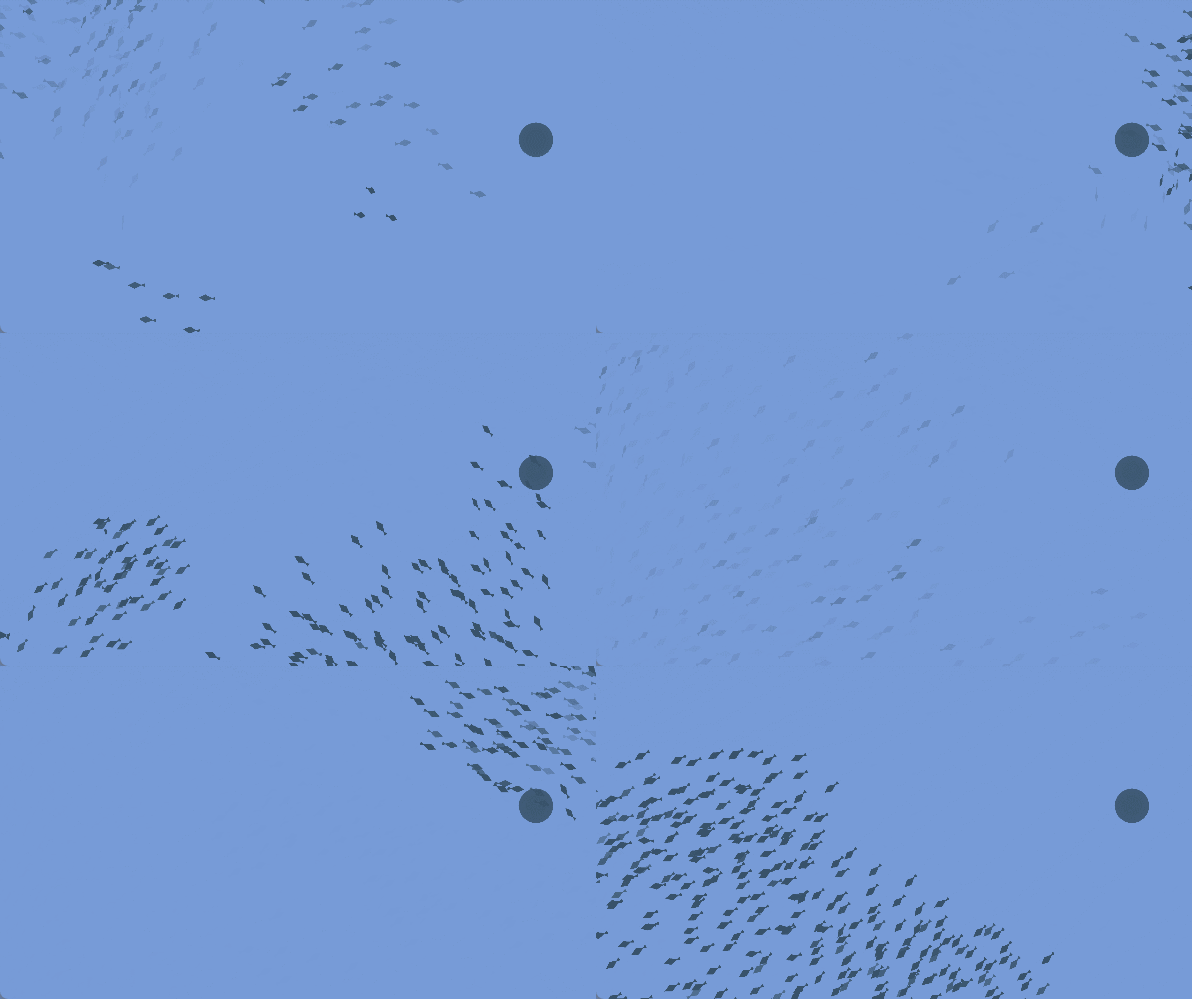
Boids (bird-oid object) 는 새의 무리구성 시뮬레이션입니다.
일정 거리 내의 개체들에 대한 규칙은 크게 세가지인
- Cohesion - 질량중심으로 이동
- Alignment - 평균방향으로 이동
- Separation - 밀집되지않도록 이동
로 구성되어있습니다.
그래서 구성은 크게 몇가지로 나눌 수 있습니다
- 대량연산을 병렬로 처리할 ComputeShader
- GPU Instancing을 통한 대량 오브젝트의 부하 감소
- instancing된 객체의 제어
제약
해당 방식은 “computeShader”를 지원하는 유니티 쉐이더 모델 4.5 이상이 요구됩니다
(DirectX 11 feature level 11+, OpenGL 4.3+, OpenGL ES 3.1, Vulkan,Metal)
그에 해당하는 쉐이더 제약을 작성할 필요가 있습니다.
#pragma exclude_renderers gles gles3 glcore
#pragma target 4.5
Compute shader
//Setup Kernel function
// steering force
#pragma kernel ForceCS
// speed, position
#pragma kernel IntegrateCS

struct BoidData
{
	float3 velocity;
	float3 position;
};

// Size of Thread group
#define SIMULATION_BLOCK_SIZE 256

// Boid data buffer (read only)
StructuredBuffer<BoidData>   _BoidDataBufferRead;
// Boid data buffer (read, write)
RWStructuredBuffer<BoidData> _BoidDataBufferWrite;
// Boid steering force buffer (read only)
StructuredBuffer<float3>     _BoidForceBufferRead;
// Boid steering force buffer (read, write)
RWStructuredBuffer<float3> _BoidForceBufferWrite;

int _MaxBoidObjectNum;

float _DeltaTime;

float _SeparateNeighborhoodRadius;
float _AlignmentNeighborhoodRadius;
float _CohesionNeighborhoodRadius;

float _MaxSpeed;
float _MaxSteerForce;

float _SeparateWeight;
float _AlignmentWeight;
float _CohesionWeight;

float4 _WallCenter;
float4 _WallSize;
float _AvoidWallWeight;

float3 limit(float3 vec, float max)
{
	float length = sqrt(dot(vec, vec));
	return (length > max && length > 0) ? vec.xyz * (max / length) : vec.xyz;
}

// reflection
float3 avoidWall(float3 position)
{
	float3 wc = _WallCenter.xyz;
	float3 ws = _WallSize.xyz;
	float3 acc = float3(0, 0, 0);
	// x
	acc.x = (position.x < wc.x - ws.x * 0.5) ? acc.x + 1.0 : acc.x;
	acc.x = (position.x > wc.x + ws.x * 0.5) ? acc.x - 1.0 : acc.x;

	// y
	acc.y = (position.y < wc.y - ws.y * 0.5) ? acc.y + 1.0 : acc.y;
	acc.y = (position.y > wc.y + ws.y * 0.5) ? acc.y - 1.0 : acc.y;

	// z
	acc.z = (position.z < wc.z - ws.z * 0.5) ? acc.z + 1.0 : acc.z;
	acc.z = (position.z > wc.z + ws.z * 0.5) ? acc.z - 1.0 : acc.z;

	return acc;
}

// Data storage share memory
groupshared BoidData boid_data[SIMULATION_BLOCK_SIZE];

// steering compute kernel function
[numthreads(SIMULATION_BLOCK_SIZE, 1, 1)]
void ForceCS
(
	uint3 DTid : SV_DispatchThreadID, // Thread Unique ID
	uint3 Gid : SV_GroupID,           // Group ID
	uint3 GTid : SV_GroupThreadID,    // In Group, Thread ID
	uint  GI : SV_GroupIndex          // SV_GroupThreadID To Index 0-255
)
{
	const unsigned int P_ID = DTid.x; // Owner ID
	float3 P_position = _BoidDataBufferRead[P_ID].position; //Owner Position
	float3 P_velocity = _BoidDataBufferRead[P_ID].velocity; //Owner Velocity

	float3 force = float3(0, 0, 0); // Init

	float3 sepPosSum = float3(0, 0, 0); // accumulate counting for separate
	int sepCount = 0; // other entity count for separate

	float3 aliVelSum = float3(0, 0, 0); // accumulate counting for align
	int aliCount = 0; // other entity count for align

	float3 cohPosSum = float3(0, 0, 0); // accumulate counting for Cohesion
	int cohCount = 0; // other entity count for Cohesion

	// SIMULATION_BLOCK_SIZE (그룹스레드 수)별 실행(그룹 수 만큼 실행)
	[loop]
	for (uint N_block_ID = 0; N_block_ID < (uint)_MaxBoidObjectNum; N_block_ID += SIMULATION_BLOCK_SIZE)
	{
		// SIMULATION_BLOCKSIZE 만큼의 Boid 데이터를 쉐어드 메모리로 로드
		boid_data[GI] = _BoidDataBufferRead[N_block_ID + GI];

		// 그룹 내 모든 스레드가 공유 메모리 엑세스를 마치고
		// 이 호출에 도달할 때까지
		// 그룹 내 모든 스레드들이 여기서 기다린다
		GroupMemoryBarrierWithGroupSync();

		// 다른 개체와의 관계 계산
		for (int N_tile_ID = 0; N_tile_ID < SIMULATION_BLOCK_SIZE; N_tile_ID++)
		{
			float3 N_position = boid_data[N_tile_ID].position; // Neighbor's position
			float3 N_velocity = boid_data[N_tile_ID].velocity; // Neighbor's velocity

			float3 diff = P_position - N_position;
			float  dist = sqrt(dot(diff, diff));   // Distance of owner and neighbor

			// --- Separation) ---
			if (dist > 0.0 && dist <= _SeparateNeighborhoodRadius)
			{

				float3 repulse = normalize(P_position - N_position);

				repulse /= dist;
				sepPosSum += repulse;
				sepCount++;
			}

			// ---(Alignment) ---
			if (dist > 0.0 && dist <= _AlignmentNeighborhoodRadius)
			{
				aliVelSum += N_velocity;
				aliCount++;
			}

			// ---(Cohesion) ---
			if (dist > 0.0 && dist <= _CohesionNeighborhoodRadius)
			{
				cohPosSum += N_position;
				cohCount++;
			}
		}
		GroupMemoryBarrierWithGroupSync();
	}


	float3 sepSteer = (float3)0.0;
	if (sepCount > 0)
	{
		sepSteer = sepPosSum / (float)sepCount;
		sepSteer = normalize(sepSteer) * _MaxSpeed;
		sepSteer = sepSteer - P_velocity;
		sepSteer = limit(sepSteer, _MaxSteerForce);
	}

	float3 aliSteer = (float3)0.0;
	if (aliCount > 0)
	{
		aliSteer = aliVelSum / (float)aliCount;
		aliSteer = normalize(aliSteer) * _MaxSpeed;
		aliSteer = aliSteer - P_velocity;
		aliSteer = limit(aliSteer, _MaxSteerForce);
	}

	float3 cohSteer = (float3)0.0;
	if (cohCount > 0)
	{
		cohPosSum = cohPosSum / (float)cohCount;
		cohSteer = cohPosSum - P_position;
		cohSteer = normalize(cohSteer) * _MaxSpeed;
		cohSteer = cohSteer - P_velocity;
		cohSteer = limit(cohSteer, _MaxSteerForce);
	}
	force += aliSteer * _AlignmentWeight;
	force += cohSteer * _CohesionWeight;
	force += sepSteer * _SeparateWeight;

	_BoidForceBufferWrite[P_ID] = force;
}

[numthreads(SIMULATION_BLOCK_SIZE, 1, 1)]
void IntegrateCS
(
	uint3 DTid : SV_DispatchThreadID
)
{
	const unsigned int P_ID = DTid.x;

	BoidData b = _BoidDataBufferWrite[P_ID];
	float3 force = _BoidForceBufferRead[P_ID];


	force += avoidWall(b.position) * _AvoidWallWeight;

	b.velocity += force * _DeltaTime;
	b.velocity = limit(b.velocity, _MaxSpeed);
	b.position += b.velocity * _DeltaTime;

	_BoidDataBufferWrite[P_ID] = b;
}
URP Shader Graph에서 동작시키기
전처리 지시자를 끼워넣는 방법
#pragma instancing_options procedural:setup위 옵션은 #pragma fragment frag 와 비슷한 의미입니다.
UnityInstancing.hlsl 200번째줄을 보면
#ifdef UNITY_PROCEDURAL_INSTANCING_ENABLED
    #ifndef UNITY_INSTANCING_PROCEDURAL_FUNC
        #error "UNITY_INSTANCING_PROCEDURAL_FUNC must be defined."
    #else
        void UNITY_INSTANCING_PROCEDURAL_FUNC(); // forward declaration of the procedural function
        #define DEFAULT_UNITY_SETUP_INSTANCE_ID(input)      { UnitySetupInstanceID(UNITY_GET_INSTANCE_ID(input)); UNITY_INSTANCING_PROCEDURAL_FUNC();}
    #endif
#else
    #define DEFAULT_UNITY_SETUP_INSTANCE_ID(input)          { UnitySetupInstanceID(UNITY_GET_INSTANCE_ID(input));}
#endif
항목이 있습니다.
즉 UNITY_PROCEDURAL_INSTANCING_ENABLED이 설정되어있을때
UNITY_INSTANCING_PROCEDURAL_FUNC 함수를 전방선언해서 호출하는데,
UNITY_INSTANCING_PROCEDURAL_FUNC 에 해당하는 함수를 지정해줘야하는 것이죠.
아무튼 일반 쉐이더에서는 그냥 기존에 하던대로 썼다면 괜찮지만,
쉐이더그래프에서는 어떻게 써야하는지 알 수가 없습니다.
여기서 꾀를 하나 냅니다
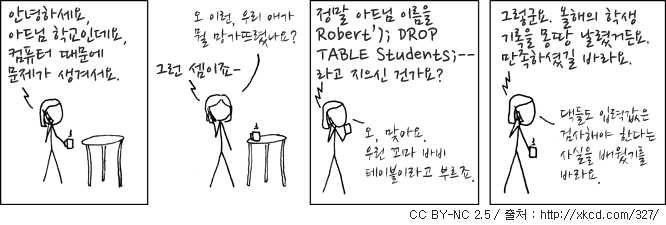
마치 SQL 인젝션마냥 끼워넣으면 가능하지 않을까요?
쉐이더그래프의 CustomFunction, 그중 string을 사용한 방법에 대해 생각해봅시다.
결국 내부 내용은 유니티가 미리 작성해둔 함수 내부에 위치하게 될테므로,
void <function_name>(in <inputs.args>, out <outputs.args>)
{
<body>
}
의 형식을 띄게 될 것입니다.
그러니 여기서 함수를 끊어버리고, 가짜함수를 하나 만드는것으로 함수의 밖에 코드를 작성할 수 있게 됩니다.
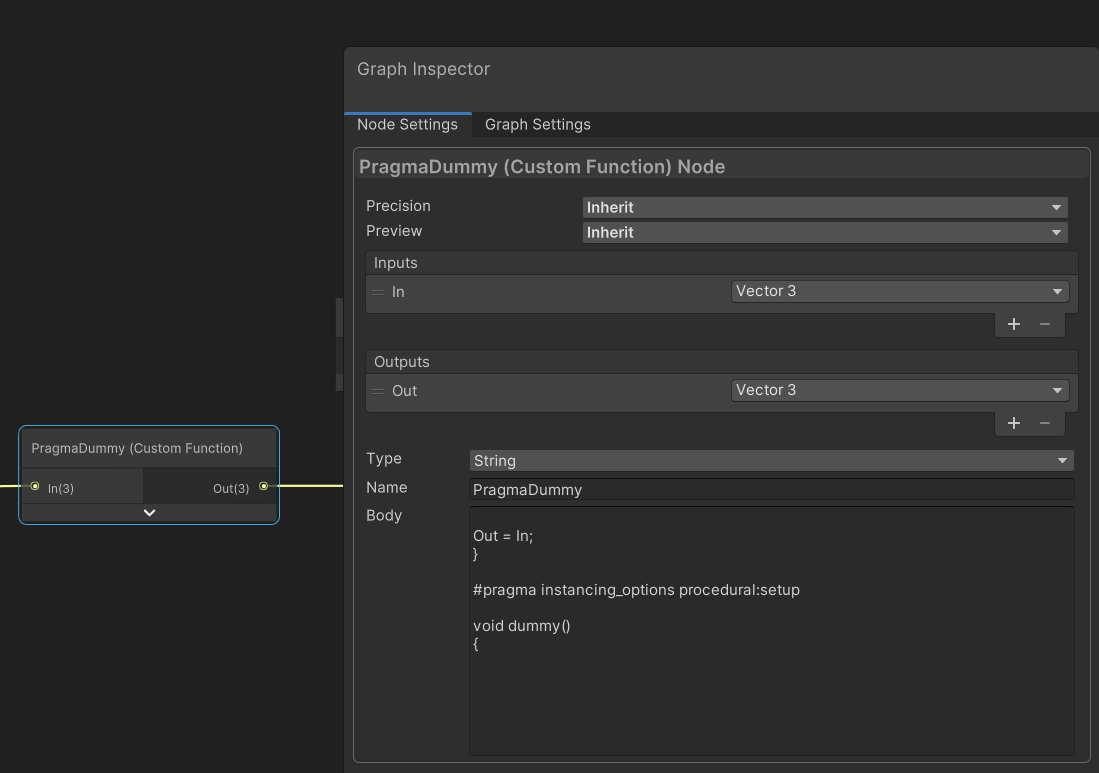
생성된 쉐이더코드를 보면 다음과 같습니다
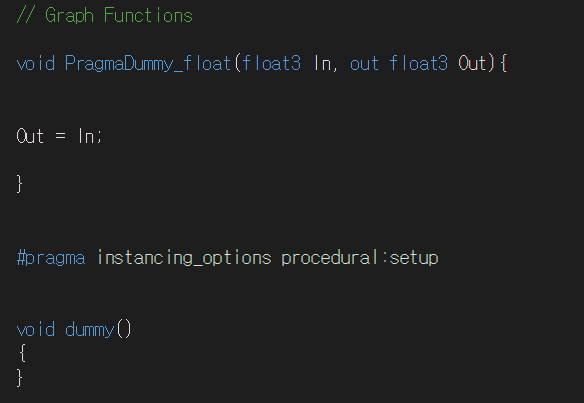
정상적으로 잘 들어간걸 확인할 수 있습니다.
데이터등을 끼워넣는 방법
그리고 이제 하나의 함수를 참조하게되면, 해당 파일 자체를 include하게 되므로,
void Instancing_float(in float3 In, out float3 Out)
{
    Out = In;
}
와 같은 의미없는 함수를 통해
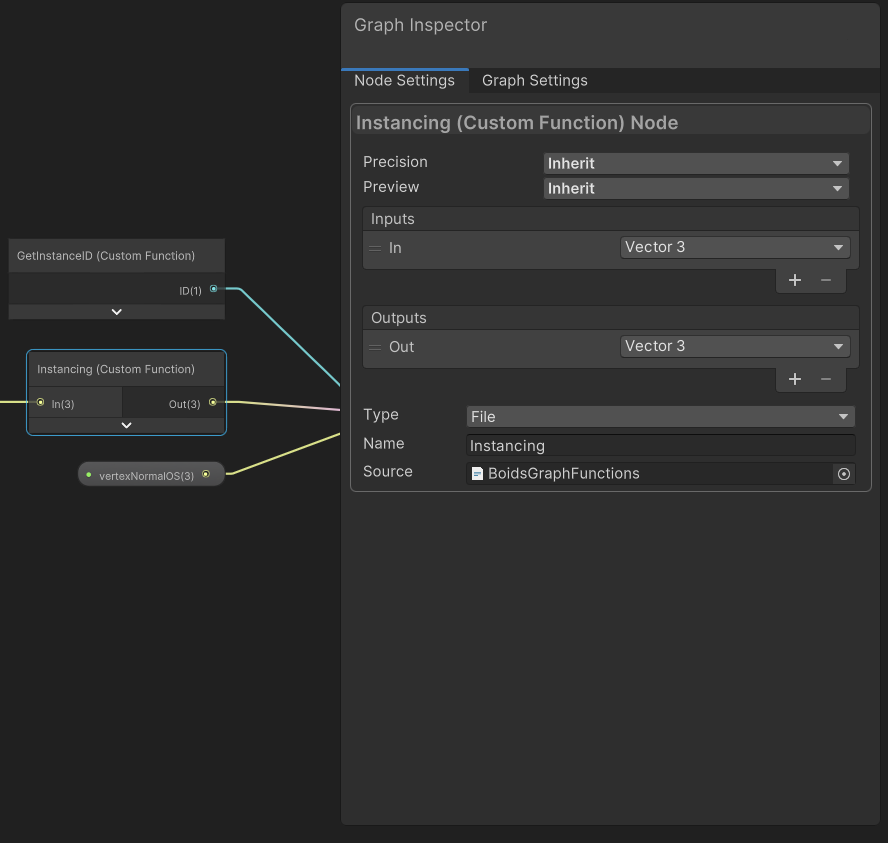
CustomFunction에서 참조하게되고,
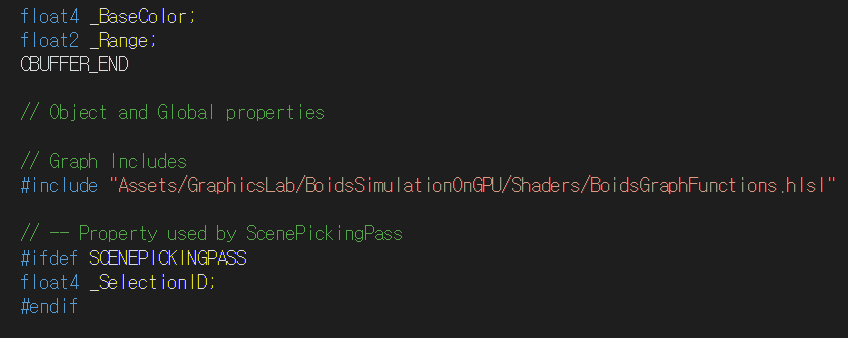
generate된 쉐이더를 본다면,
성공적으로 본문을 통째로 들고 올 수 있음을 확인할 수 있습니다
Job을 통한 구현
물론 이것을 Compute Shader가 아닌 Monobehavior 위에서 동작하는 시스템으로 구현할 수 있습니다. 이렇게 된다면 각 객체에 대한 추가적인 구현이나, 접근이 편해집니다.
또한 위의 구현 원리를 통해 추가적인 이동 가중치를 삽입할 수 있습니다.
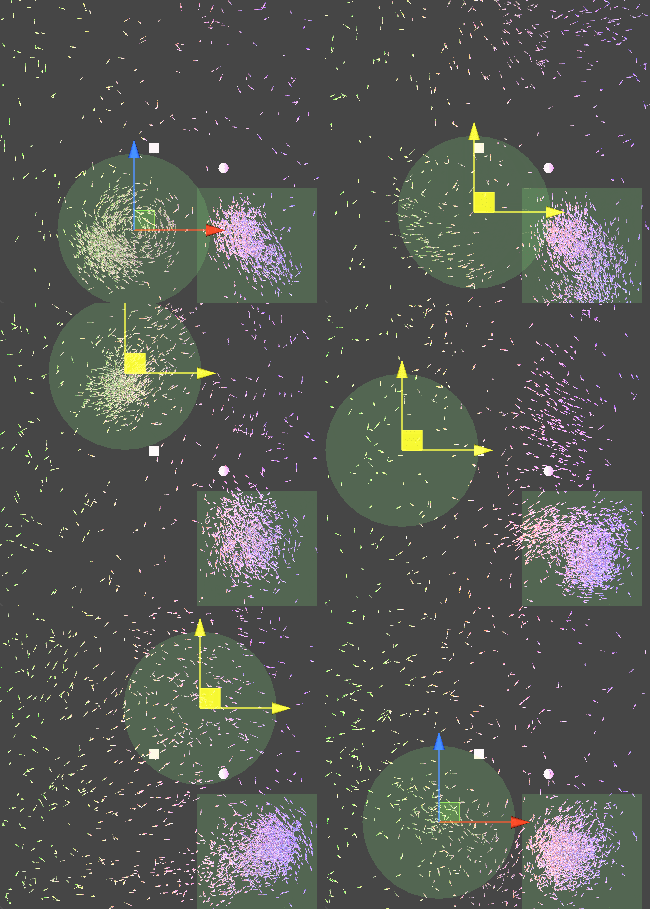
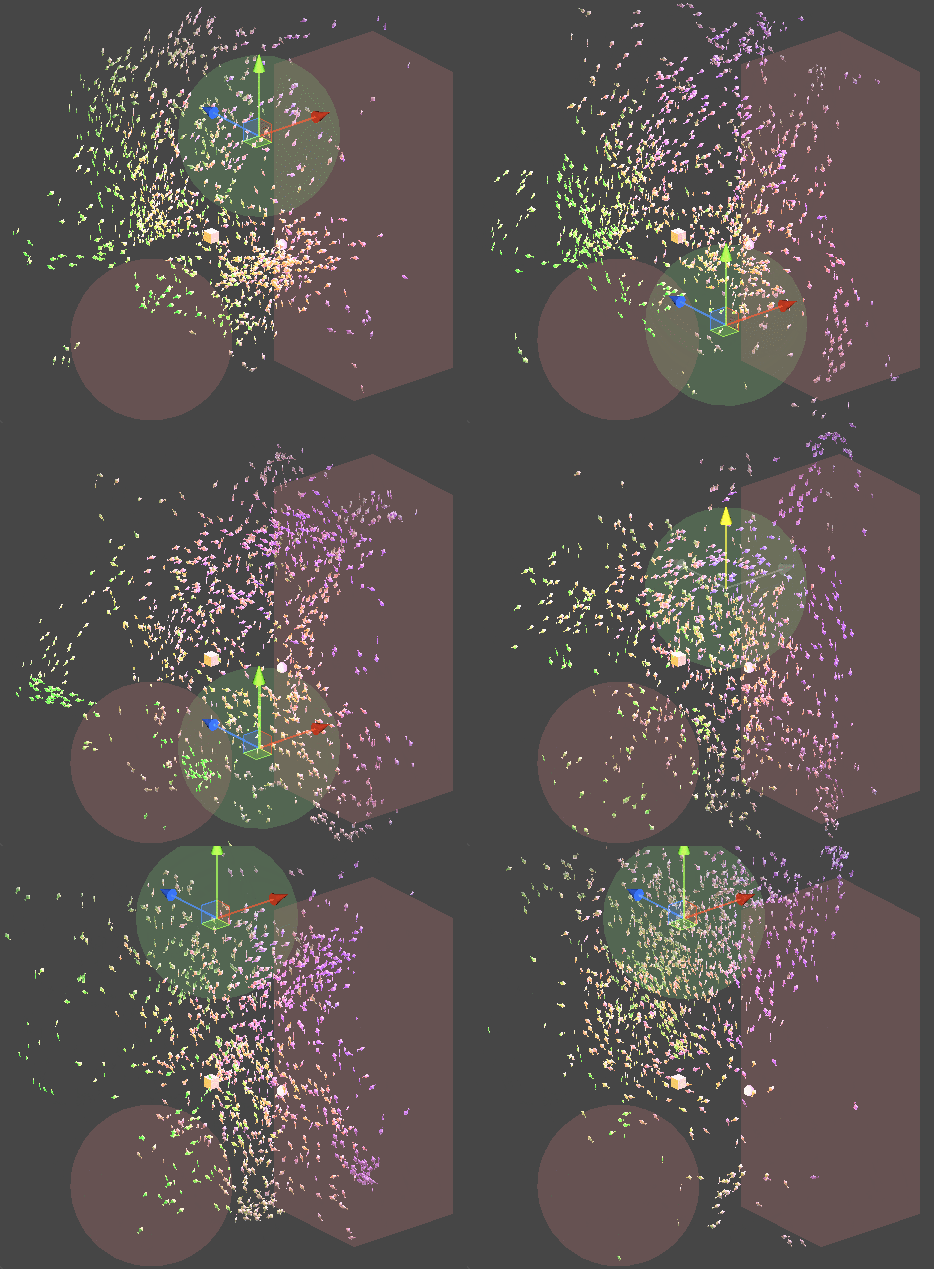
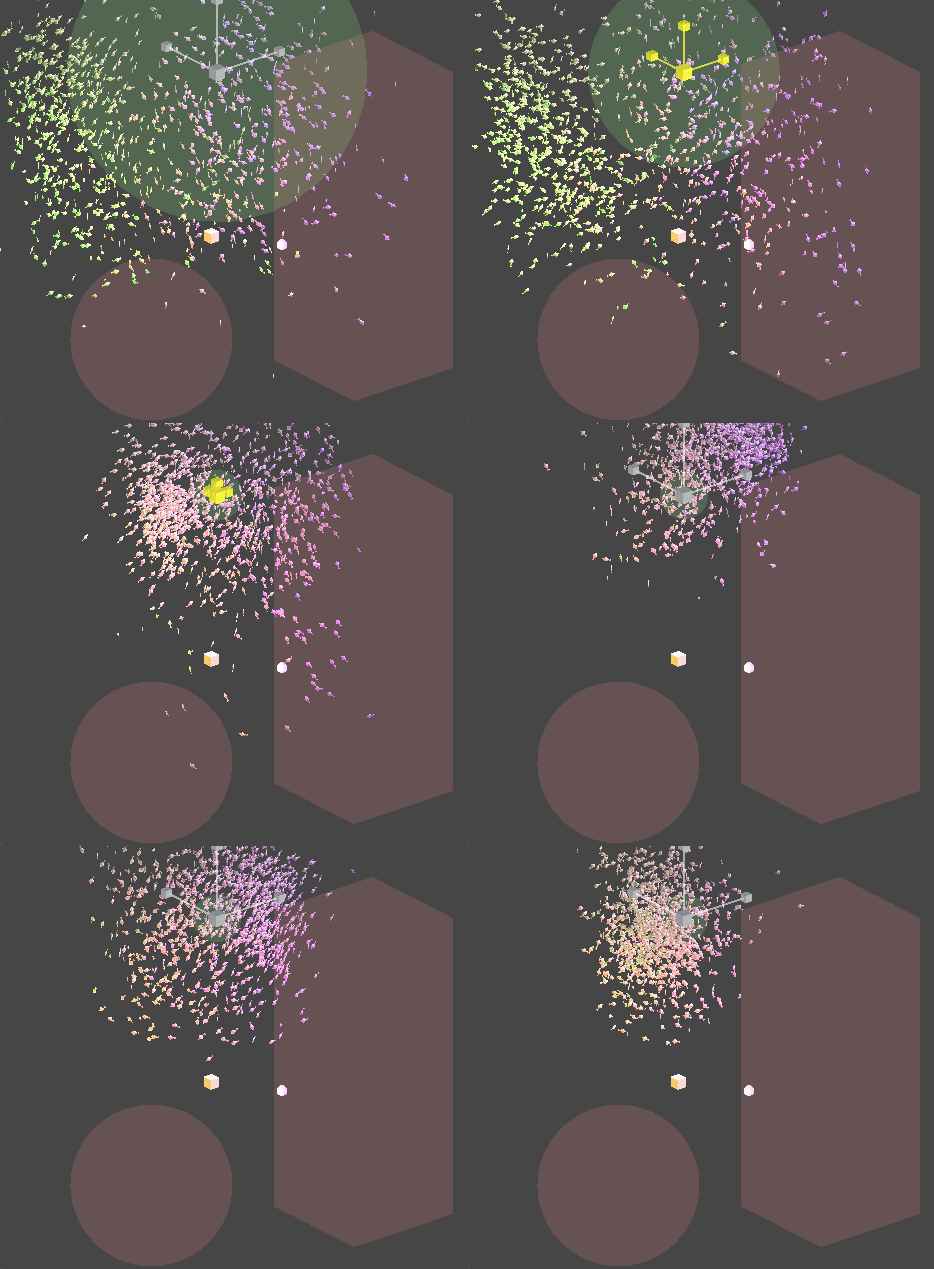
Job을 멀티쓰레드적 측면에서 효율적으로 사용하기 위해 PlayerLoop의 earlyUpdate에 해당연산을 먼저 Schedule 처리하기 때문에,
아래의 파일이 추가적으로 필요합니다.
자세한 코드는 아래 gist를 확인해 주세요.
감사합니다.
참조
유니티 쉐이더모델
https://docs.unity3d.com/Manual/SL-ShaderCompileTargets.html
shader graph GPU instancing
https://answers.unity.com/questions/1877154/urp-shader-graphs-with-instanced-indirect-instance.html
DrawMeshInstancedIndirect
https://gist.github.com/Cyanilux/4046e7bf3725b8f64761bf6cf54a16eb
쉐이더 그래프에서 해당처리를 하는법
https://forum.unity.com/threads/drawmeshinstancedindirect-and-shader-graph.720638/